
Interested in finding the wiki that’s right for you?
Yes, so are we. 🙂
Updated note: This article was originally written as a practical comparison of MediaWiki and DokuWiki. The basic difference is still useful: MediaWiki is generally the stronger choice for large, public, highly structured, or extension-heavy wikis, while DokuWiki is often simpler for private documentation, internal knowledge bases, and smaller team wikis. Some version numbers, screenshots, plugin details, and external links may have changed since the article was first published.
If you already know you want hosted wiki software, CiviHosting provides MediaWiki hosting and DokuWiki hosting with expert setup included, plus free migration from another host.
In the open source wiki marketplace, there are several options, including MediaWiki, DokuWiki, TWiki, Tiki Wiki and TiddlyWiki, as well as smaller players such as MoinMoin, PmWiki, PhpWiki and WikkaWiki.
To see what’s happening in this market, let’s take a brief look at this Google Trends graph of interest in the top five packages over the past year. Click to see the image larger:

It seems clear that MediaWiki and DokuWiki are the top contenders. MediaWiki is more well-known, but DokuWiki has a loyal following and many people feel it is easier to use and more effective for many sites. The Internet Techies site indeed lists it as number 2. But to really decide, we need more details about MediaWiki vs DokuWiki. What’s the difference?
Today we’re going to talk about exactly what differences do and don’t exist. Yes, we are entering now the War of the Wikis! 🙂
We will examine two areas:
- History and License – when and how did these two projects get started and what license each has
- Product – what differences exist in the actual product
A Brief History and License
MediaWiki was originally written for Wikipedia, and Wikipedia itself was launched in January 2001. The name “MediaWiki” came about in July 2003, the same year that Jimmy Wales created the Wikimedia Foundation. The software was designed to run Wikipedia, meaning they built it “to scratch their own itch.” You can read more about the history on their MediaWiki history page or the MediaWiki page on Wikipedia.
MediaWiki has a “major release” every six months and a “long term support release (LTS)” every two years. It is licensed under version 2 of the GNU General Public License.
DokuWiki was written from scratch by Andreas Gohr in June 2004. One month later the first official release was published. In 2005, a major development was the re-design of a large section of the internals. You can read more about the history on their History of DokuWiki page, or on the DokuWiki page on Wikipedia.
New releases come out about twice a year, but there is no official schedule. The software license is the GNU General Public License.
The Product
We will examine the below sections, one by one.
- Overview
- Screenshots
- Technology
- Security
- Features
- Community and Support
Let’s start with an overview.
Overview
The basic difference between these tools is their goal. MediaWiki is meant for large and complicated wikis and DokuWiki is meant for smaller, simpler wikis. Of course, you can use MediaWiki for a small wiki, and people have used DokuWiki for larger installs also. There are reports on the Scalability page of installs of up to 300,000+ pages and on this forum post in German, a report of an install with close to 2 million pages.
One reader wrote in to express his opinion that MediaWiki is designed for cataloging discrete pages and is open to a community to contribute, with powerful approval and watch tools. It is ideal for creating a collection of knowledge that can come from anywhere and be edited by anyone. DokuWiki, on the other hand, is meant for documentation, project notes, software manuals, corporate knowledge bases, or private notebooks. It was designed for single-person use or a team with controlled access.
But the fact remains that MediaWiki is more powerful, more scalable, and more flexible. With that, however, comes far more complexity as well. It’s not easy for a layman to install and configure MediaWiki, in particular any of the advanced features like extension installation.
DokuWiki, however, is very simple to install, and installing plugins and templates is a breeze.
Key Differences
MediaWiki is meant for discrete pages that are unrelated from each other, and also needs to handle complicated scenarios such as vandalism, spam, and other attacks. It therefore has functionality that can help you deal with such issues and maintain a quality site.
DokuWiki is meant to handle a knowledge base of related articles very well. There are reports on the scalability page of installations with up to 300,000+ pages and on this forum post in German, a report of an install with close to 2 million pages. However, the core strength of DokuWiki is that you can organize pages with namespaces. A namespace can have further namespaces within itself, giving it a nested tree-like structure. Each namespace by default gets a start page that behaves like a landing page for that set of articles, and using built-in ACL tools it is easy to customize access controls for registered team members or anonymous users for the entire site or for specific namespaces.
MediaWiki is translated to over 150 languages whereas DokuWiki is translated to over 50 languages.
Screenshots
MediaWiki
To see a step by step explanation with screenshots of the install procedure for MediaWiki, see our blog post How to Install MediaWiki.
Here are screenshots about how to use MediaWiki:
Here is the home page of a fresh, empty MediaWiki install:

Login:
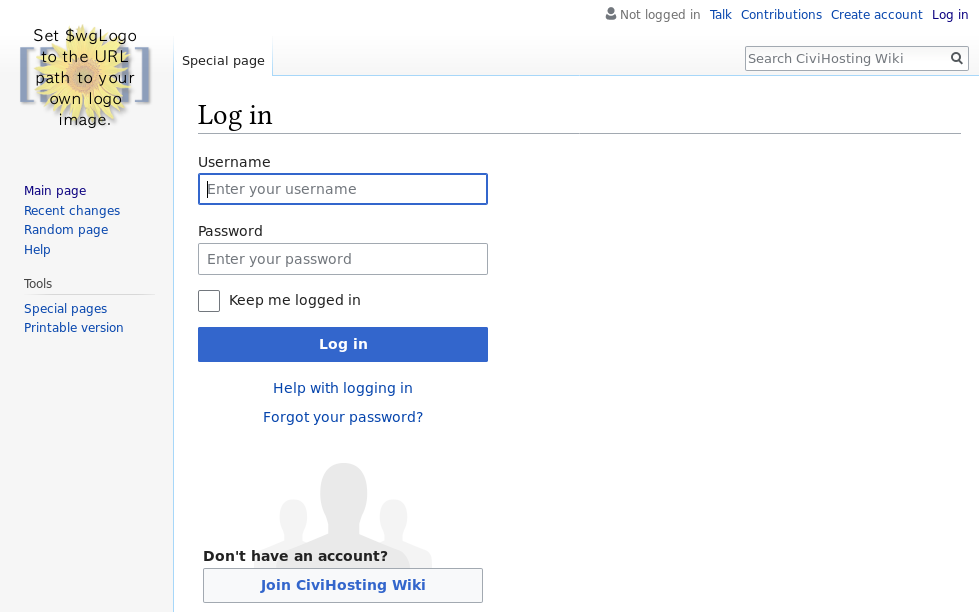
Once you’re in, there is an Edit link just above the text, right in the middle of the top section of the page:

If I click on that, then there is a box whereby I can edit my text. This is the default, text-based editor:

And if I save my changes, here is my new home page:

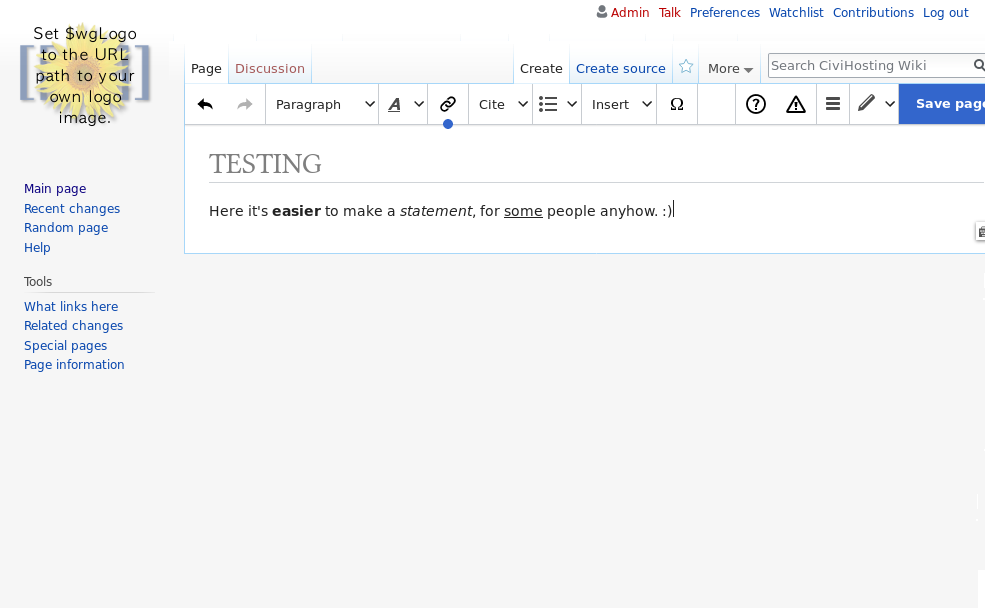
If I have the VisualEditor extension installed, then I see a “rich text editor” like this:
DokuWiki
To see a step by step explanation with screenshots of the install procedure for DokuWiki, see our blog post How to Install DokuWiki.
Login:

Home page:

If you put your mouse on the pencil icon on the right side of the page, you will see that a menu pops up and the first item is “Edit this page”:

Click on that and you get the edit page. This is the default, text-based editor:

And if I save my changes, here is my new home page:
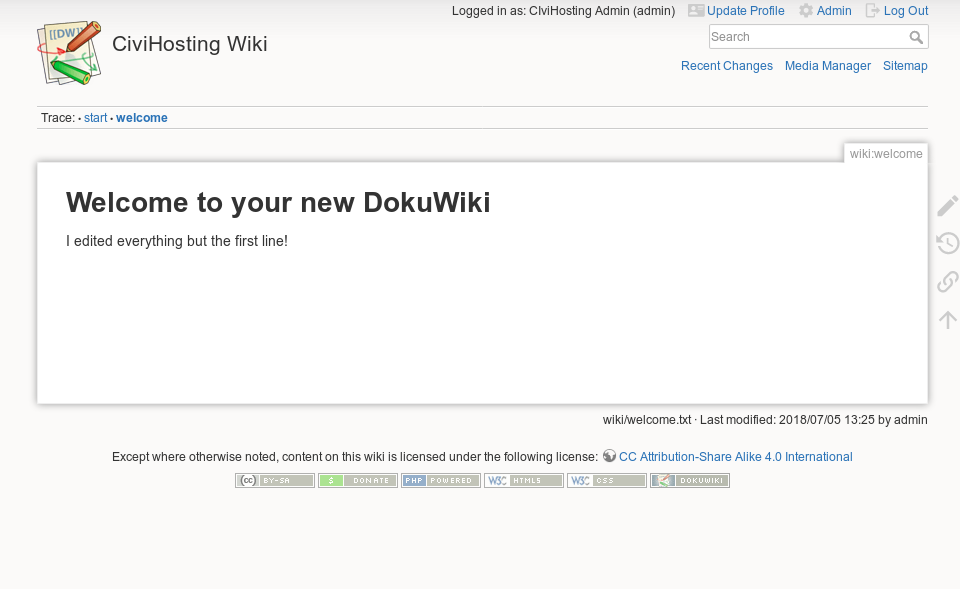
Now if I install the CKGEdit Plugin, which is just a matter of a few clicks on the admin screens of my wiki, then when I edit, I see a “rich text editor” like this:

Technology
Both use PHP. MediaWiki requires a database of some sort, see below for options, but DokuWiki does not. It stores all data in files and requires almost no setup.
Security
DokuWiki has a Security page where they claim:
DokuWiki is developed with security in mind. We try to find a balance between user-friendliness and security but favor security when no satisfying compromise can be found.
There are links there to their bug reporting protocol and their bug tracking system.
MediaWiki also has a Security page meant for end users, and then a Security Guide page for developers with links to other resources like their Security page meant for developers.
A Google search for “DokuWiki security vulnerabilities” with the quotes brings up around 11 results and a search for “MediaWiki security vulnerabilities” with quotes again brings up around 8 results, which indicates that neither one has had a history of any serious security flaws.
Features
| Feature | MediaWiki | DokuWiki |
|---|---|---|
| WYSIWYG | Yes via an extension, but it requires a “node.js” server which is not available on normal shared hosting | Yes |
| Database | MySQL, PostgreSQL, Oracle and SQLite | File Storage |
| Page-level Permissions | Yes | Yes |
| ACL | Available via various extensions, see here for more info | Built in |
| Page Preview | Yes | Yes |
| Minor Changes | Yes | Yes |
| Change Summary | Yes | Yes |
| Page History | Yes | Yes |
| Page Revisions | Yes | Yes |
| Revision Diffs View | Yes | Yes |
| Pages Index | Yes | Yes |
| Plugin System | Yes | Yes |
| Template System | Yes | Yes |
| Caching | Yes | Yes |
| Full text search | Yes | Yes |
| API | Yes See the API:Main Page for details | Yes See the Remote API for details |
Community and Support
DokuWiki features the active DokuWiki User Forum, powered by the Unclassified NewsBoard forum package.
MediaWiki features the Support desk forum, powered by MediaWiki itself, plus a Meta-Wiki area with more options for support such as mailing lists and IRC. There are then tags on StackExchange’s Web Applications section as well as their ProWebmasters area.
More Information
For more information about MediaWiki, see our MediaWiki Knowledge Base.
For more information about DokuWiki, see our DokuWiki Knowledge Base.
Conclusion
MediaWiki is larger and more powerful, yet more complicated to set up and manage. DokuWiki is small and simple, and easier to use. Both have their place.
Both are wikis, yet they are quite different. Both have their own space and usage scenario, and they are each best at what they were meant to offer at their core.
To decide, you need to ask the following questions:
- What is the purpose of your wiki?
- Will article uploads be open to a community, or handled by your organization alone?
- Are these articles discrete or related? For example, a user manual may have software versions or product models, and each will have its own set of specific articles.
- What level of access control do you need?
- Are you a software company that wants to use a repository to manage the documentation along with the source code?
- Is the tool available in your language?
Need Hosting for MediaWiki or DokuWiki?
If you’re looking for hosting for MediaWiki or DokuWiki, whether in the USA or Europe, CiviHosting can install and secure your wiki for you. Fresh installs are included, and migrations from another host are free.
Choose MediaWiki if you want a powerful, extensible wiki platform with a large ecosystem. Choose DokuWiki if you want a simpler documentation wiki with file-based storage and easy administration.